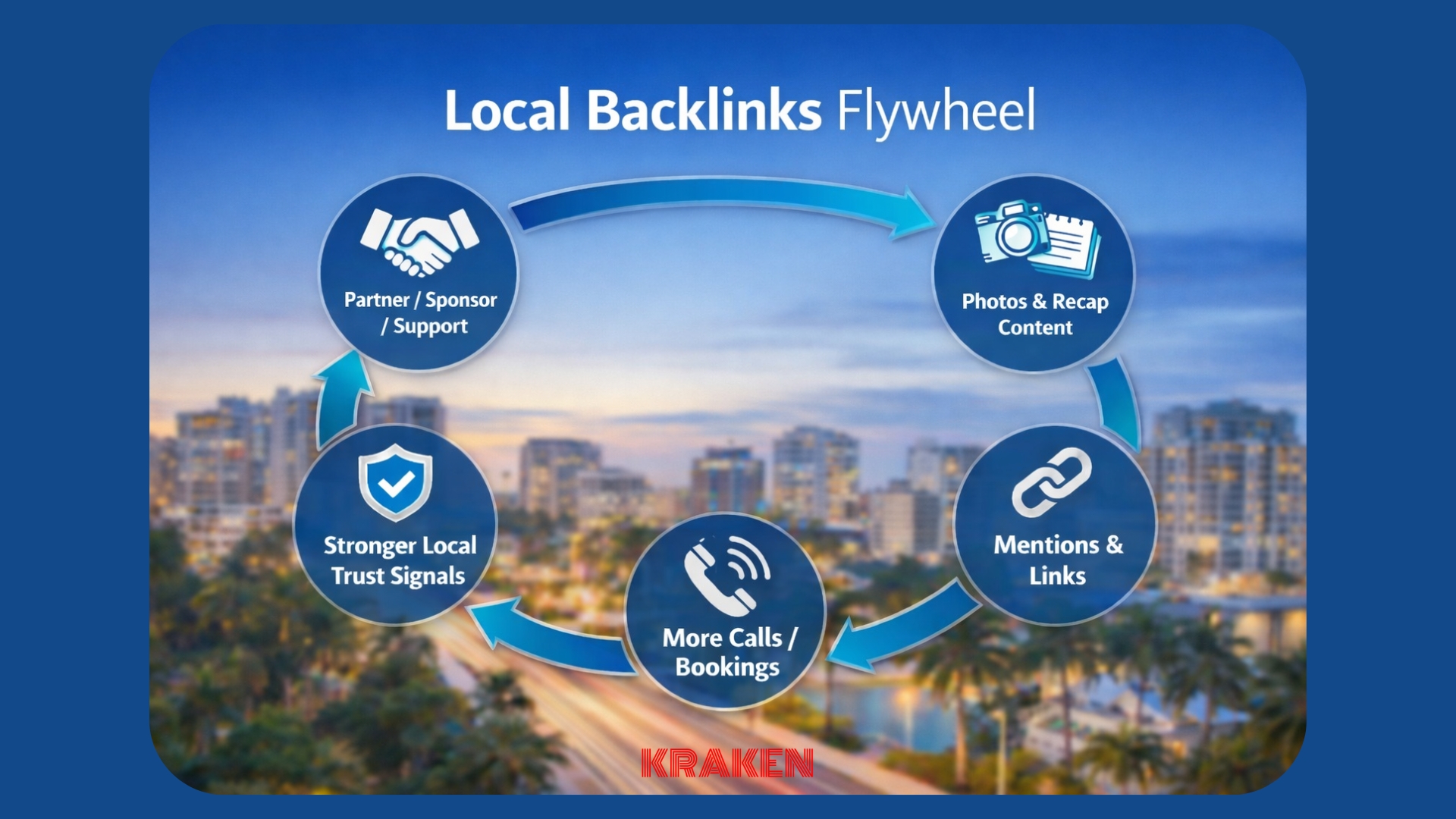
Earn Local Backlinks the Right Way in 2026: Partners, Sponsorships, Nonprofits

If local SEO feels harder lately, you’re not imagining it.

Two things are happening at the same time:

  1. Search is turning into “answers first” with AI summaries and fewer clicks. Pew found that when an AI summary appears, users click traditional results less often (8% vs 15%).
  2. Google has gotten louder and sharper about spam policies and manipulation. The March 2024 update called out newer forms of abuse and made it clear they’re willing to enforce.

So what still works in 2026?

Real-world trust signals that search engines can recognize: credible local mentions and links that exist because you’re genuinely involved in your community.

That’s what this post is about—earning local backlinks the right way through partners, sponsorships, and nonprofits, especially in places like Sarasota, Tampa, and Central Florida where relationships still move faster than algorithms.

And yes, we’ll keep it practical.

What “good” local backlinks actually are

Strong local backlinks usually have three traits:

  • Local relevance: The site is connected to your region (city, county, neighborhood, local org).
  • Real relationship: The link exists because you did something meaningful (partnered, sponsored, served, supported).
  • Clean intent: It isn’t a “pay me and I’ll link to you” scheme.

Google’s spam policies are clear that buying and selling links for ranking purposes is a problem, but sponsorship/advertising local backlinks can be fine when they’re properly qualified (for example using rel=”sponsored” or rel=”nofollow”).

That’s the line we’ll walk: supporting the community, earning visibility, staying compliant.

Quick translation for small business owners:
You want local backlinks that look like they were created for humans, because they were.

The 2026 mindset shift: local backlinks are a byproduct of being known

In 2018, you could do “link building.” In 2026, the best link building is a mix of:

  • Brand building (people recognize you and mention you)
  • Local presence (you show up in the places your customers already trust)
  • Proof (photos, events, powerful online reviews, partnerships, real impact)

That’s why Kraken Media’s approach to SEO is tied to assets that make sense in the real world—local content, landing pages, and brand proof—not just “ranking tricks.” If you want a snapshot of how we structure this, see our Local SEO approach here: https://krakenusa.com/seo/

local backlinks

The “3 buckets” of ethical local backlinks

Here are the three most reliable sources that don’t feel spammy and don’t invite penalties:

1) Partners (the easiest wins you already earned)

Partners are vendors, collaborators, referral relationships, and adjacent businesses.

Examples (realistic and local):

  • A dental practice partners with an orthodontist, oral surgeon, pediatric dentist, or a local lab
  • An HVAC company partners with a builder, property manager, insulation company, or electrician
  • A dermatology office partners with med spas (non-competing services), local wellness brands, or women’s health clinics
  • A church partners with food banks, youth sports, counseling services, or community events
  • A real estate team partners with lenders, home inspectors, staging companies, movers, and restoration companies

How to earn local backlinks (without making it weird):

  • Add a “Trusted Partners” page on your site (clean, helpful, not a link farm)
  • Offer a short partner blurb + logo + service area
  • Ask for a reciprocal mention only if it benefits users (not “link swaps for SEO”)

Simple outreach script (copy/paste):

  • “Hey [Name], we’re updating our local partner resources page. Want us to include your info and link? If you keep a partner page too, we’d love to be listed so customers know who we work with.”

What to put on your partner page (fast checklist):

  • Partner name + what they do
  • Who it’s for (for example “after-hours HVAC emergency” or “pediatric-friendly dentistry”)
  • Service area (Sarasota, Tampa, etc.)
  • One clean link to their main site or contact page

Semrush calls out partnerships as a core local backlinks strategy because they’re natural and locally relevant.

2) Sponsorships (ethical, powerful, and often overlooked)

Sponsorships work because they’re a real-world signal: you supported something public.

Local sponsorship ideas that tend to generate legit backlinks:

  • Youth sports team sponsor page (often includes logos + outbound links)
  • Charity walk/run sponsor listing
  • Chamber event sponsor page
  • School fundraiser sponsor page
  • Community theater / arts sponsor page
  • Neighborhood association sponsor page

The key is how it’s published.
If an organization offers sponsor links, that’s normal. Google explicitly recognizes that sponsorship local backlinks exist, and the compliant way is to qualify them properly when needed. (Google for Developers)

What to ask for (politely):

  • A logo on the sponsor page
  • A short description (1–2 sentences)
  • A link to your homepage or a relevant community page
  • A photo of the event you can share (this helps the org too)

Pro tip: sponsor pages are common, so differentiate by helping them improve the page:

  • Offer a better logo file
  • Provide a short, clear description
  • Give them a one-line “what you sponsored” caption

Important compliance note:
If you’re promoting a paid relationship publicly, the FTC’s endorsement guidance centers on transparency—connections should be clear and not misleading.
(You don’t need legal language everywhere, just avoid implying something is an “independent recommendation” when it’s sponsored.)

3) Nonprofits (“give value first” local backlinks)

This is the cleanest category because it’s built on impact.

Ways to support nonprofits and earn real mentions:

  • Host a drive (school supplies, food, hygiene kits)
  • Donate a service (for example free AC tune-up for a shelter, free dental day, free skin cancer screening event)
  • Provide space, volunteers, or equipment
  • Offer a scholarship, internship, or mentorship
  • Co-host an event and help promote it with photos/video

Nonprofits tend to publish:

  • Partner pages
  • Event recap posts
  • Press releases
  • Sponsor thank-you posts
  • Annual report acknowledgements

These aren’t “SEO pages”—they’re the internet documenting reality.

If you want one rule that keeps you safe:
Do it even if Google didn’t exist.

The local backlinks playbook, step-by-step (small business friendly)

Step 1: Build a “link-worthy” page first

Before you ask anyone for a link, make sure you have a page worth linking to.

Good targets:

  • Homepage (if it clearly explains who/where/what)
  • A “Community” page (shows involvement)
  • A scholarship page
  • An event page
  • A local resource page (for example “Emergency HVAC checklist for Florida summers”)

Step 2: Make a target list of 25 local opportunities

Here’s a simple way to build your list fast:

Partners

  • Vendors you already pay
  • Referral partners
  • Adjacent services

Sponsorships

  • Local events you already attend
  • Youth leagues near your service area
  • Chamber/community calendars

Nonprofits

  • Causes your customers care about
  • Orgs you’ve supported before
  • Churches and community centers you’re connected to

Step 3: Offer “assets,” not just a request

Most organizations are busy. Make it easy:

  • 1 square logo
  • 1 landscape logo
  • 1 headshot/team photo
  • 2-sentence description
  • Correct website URL
  • Contact name + email

Step 4: Document it like a newsroom

This is where Kraken Media’s high quality “digital content day” mindset becomes SEO fuel.

Take:

  • 10 photos (event, people, signage, you participating)
  • 3 short clips (10–20 seconds each)
  • 1 quote (why you supported it)
  • 1 recap paragraph

That creates:

  • A post for your site
  • A post for their site
  • Social content for both of you
  • A reason for someone to link, because there’s something to reference

Where local listings fit (because backlinks aren’t the only win)

Sometimes the “link” you get aren’t traditional local backlinks—they are a profile mention that still builds discovery and trust.

Examples:

  • Apple Maps presence through Apple Business Connect (Place Cards and Actions can drive engagement). (Apple Support)
  • Yelp business profile visibility and brand credibility (especially in service categories where Yelp is active). (Yelp Support)

These are not “hacks for local backlinks”—they’re visibility infrastructure.

What to avoid (so your good work doesn’t get discounted)

Avoid “pay-to-link” directories that exist only for SEO

If the site looks like it was built for outbound links, it probably was.

Avoid excessive backlink exchanges

Occasional, natural cross-mentions are fine. Systematic swapping becomes a footprint.

Avoid low-value “guest post” farms

If they’ll publish anything for $50, it’s not a relationship, it’s a risk.

Avoid trying to sculpt sponsorship links into “SEO juice”

If you sponsored something, be proud of it. If the org marks it as sponsored/nofollow, that’s normal and often the compliant approach.

Real examples you can copy (by industry)

Dental / Medical

  • Sponsor a local health fair and provide a “what we screened/served” recap
  • Partner with a local nonprofit for free care day
  • Collaborate with adjacent providers on a “local patient resources” page

Dermatology

  • Co-host a sun safety event with a school or youth sports league
  • Provide a skin health guide for a nonprofit newsletter and ask for attribution

HVAC

  • Sponsor a youth team, then post a seasonal Florida HVAC checklist the team can reference
  • Partner with property managers and builders on a “preferred vendors” page

Real Estate

  • Support neighborhood cleanups with a photo recap
  • Partner with local contractors and publish a “trusted home services” guide

Churches / Nonprofits

  • Create a community resource hub page and invite partners to contribute
  • Run a drive, then publish the recap with partner acknowledgements

The Semrush local backlinks guide lists sponsoring events and partnering locally as repeatable strategies because they naturally generate mentions and links. (Semrush)

How Kraken Media helps (without making it salesy)

Most businesses don’t struggle because they “don’t know SEO.” They struggle because they don’t have a repeatable system for:

  • Finding local partnership opportunities
  • Creating content assets fast
  • Turning real-world activity into online proof
  • Measuring what actually turns into calls, bookings, and leads

That’s exactly where we live—web development, content, and visual media working together.

If you want a simple way to start, build your local backlinks foundation (site + pages), then run a quarterly “community + content” sprint.

Read more to learn about Local Citations for SEO: What to Do and Why It Works.

Call to Action — Where Kraken Media Fits In

👉 If you want help building ethical local backlinks and a plan that fits your business and your community, reach out to Kraken Media—we’ll help you pick the right partners, create the right pages, capture the right visuals, and turn it into a repeatable system you can run all year.

__________________

Written by:  Shakir Miller
Kraken Media LLC

Have Questions?

Contact us to discuss how we can create a unique solution for your organization.  We work with individuals and large businesses to streamline their video, live streaming, and marketing needs.  Click the link below or email us directly at developer@krakenusa.com.
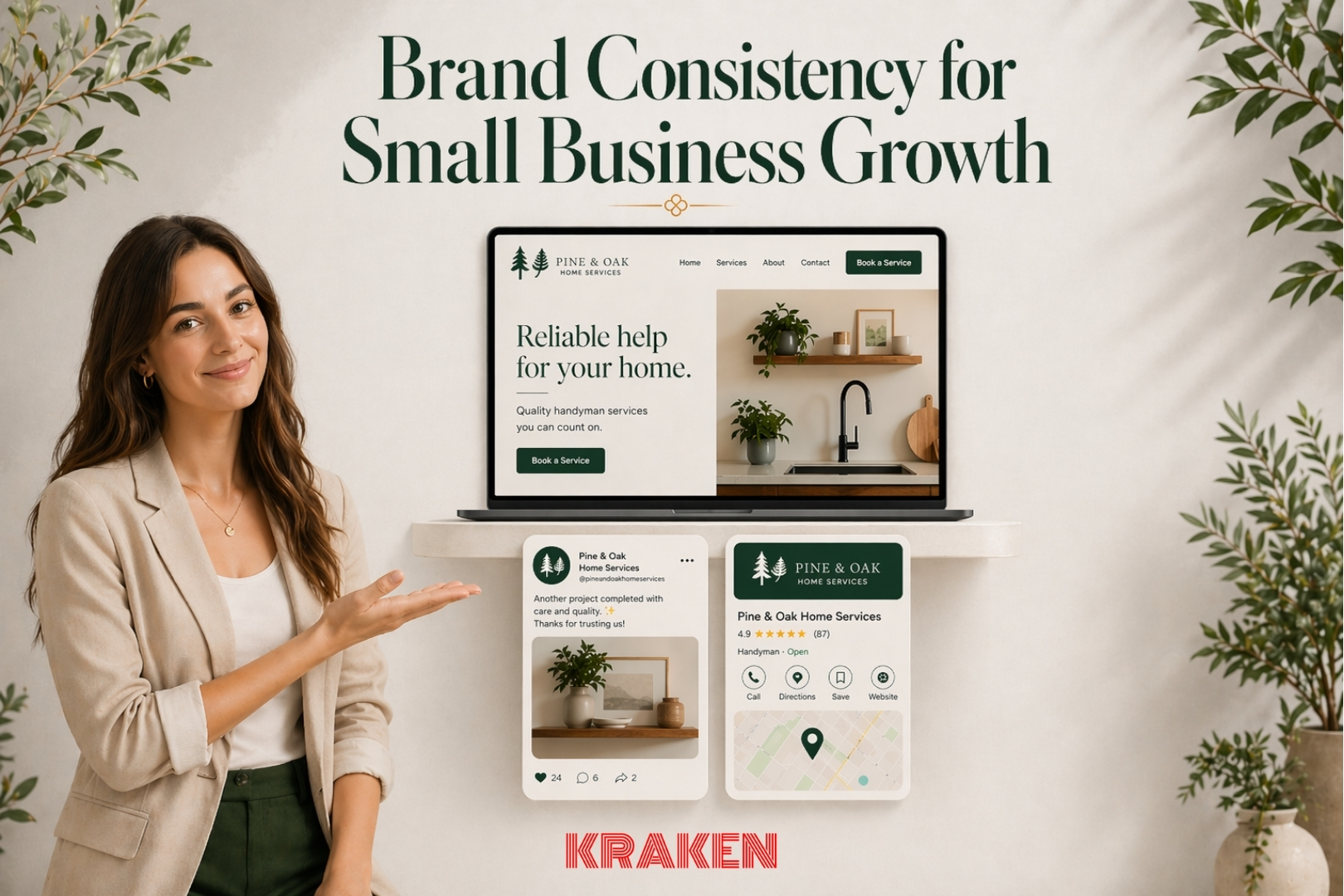
Website Schema Basics for Local SEO, AI Search & Rich Results

How to Help Search Engines Understand Your Business

If you’ve been paying attention to search lately, it’s getting… weird. Not bad, just different.

Google is leaning harder into AI-powered summaries at the top of results. And according to Pew Research Center, when an AI summary shows up, people click traditional search results less often (8% vs 15%). That means you can’t just “rank” anymore and expect the same traffic you used to.

At the same time, AI features have created new trust issues. Wired recently highlighted how AI summaries can surface the wrong contact info, including scam phone numbers, if the web’s signals are messy.

So what’s the move for a small business in Sarasota, Tampa, or anywhere in Florida?

One of the most underrated “boring wins” is website schema, also called structured data.

Website schema won’t magically rank you by itself, but it does help with clarity, consistency, and eligibility for enhanced results. Think of it like giving Google and other systems a clean label on the outside of your business.

And as Kraken Media, this is where our web development + SEO + content strategy all meet to really serve our clients…

Website Schema in Plain English: What It Is, and What It Is Not

What website schema is

Website schema is a standardized way to describe what your page is about so machines don’t have to guess. Instead of hoping Google correctly interprets your page, you give it a clear, structured explanation.

Semrush puts it simply: website schema markup is structured data that helps search engines understand your organization and your pages.

What website schema is not

Schema is not a cheat code. You don’t add a block of JSON-LD and jump from page 5 to position 1 overnight.

What it does do is:

  • Reduce ambiguity (especially for local businesses with similar names)
  • Reinforce accurate business details
  • Help pages become eligible for rich results and enhanced displays
  • Improve consistency across your site when implemented correctly

Why This Matters More Now: AI Search Rewards Clarity

As search becomes more “answer-based,” the sites that win tend to be the ones that are easiest to interpret confidently.

That’s why Kraken Media has been pushing a “structure-first” mindset—clear pages, clear entities, clear internal linking, and clean technical signals. If you want the bigger picture of what matters in local visibility right now, our guide on local ranking factors breaks it down in plain language—Local Search Ranking Factors: Your Ultimate Guide to Local Search Success in 2026.

And if you’ve been thinking about voice search and conversational AI, we also covered how structured answers and schema-supported FAQs fit into that shift—Preparing Your Content for Conversational AI & Voice Search.

The Website Schema Basics to Prioritize (Small Business Checklist)

Below are the 4 schema priorities that give the most practical ROI for local and service-based businesses—especially nonprofits, churches, medical, dental, dermatology, HVAC, and real estate.

website schema1) Organization / Local Business Schema

Your “This is who we are” foundation

If your site doesn’t clearly define your organization, it’s forcing Google to infer details from scattered hints—headers, footers, contact pages, and directory listings.

Google’s Local Business structured data documentation explains that this markup can help Google understand key details like hours, departments, and other business info that may appear in search results.

Prioritize these fields first (simple, high-value):

  • Business name (exactly as you use it publicly)
  • Website URL
  • Logo
  • Phone number
  • Address (or service area, depending on the business)
  • Hours
  • SameAs links (Google Business Profile, Yelp, Facebook, etc.)

Nonprofit example (church):
If your church has multiple ministries, “departments” and accurate hours can reduce confusion and help people find the right place to show up on time.

Medical example (dermatology):
Clear business identity + correct phone number matters more than ever when AI summaries are pulling contact details. Clean website schema helps reduce “wrong number” risk.

2) Consistent NAP in Website Schema

Name, Address, Phone must match the real world

NAP consistency sounds basic, but it’s one of the easiest ways to accidentally create confusion—especially when different plugins, directory profiles, and tracking numbers get involved.

Yelp’s guidance on updating business info emphasizes keeping your core business details accurate and up to date (name, phone, address, website).

Quick NAP consistency rules that prevent problems:

  • Use one official business name everywhere (no extra keywords in the name)
  • Pick one primary phone number as the “main” number
  • If you use call tracking, implement it carefully so it doesn’t overwrite your core NAP
  • Standardize address formatting (Suite vs Ste, Street vs St) and stick with it

HVAC example:
If your trucks serve 30–60 minutes outside your office, you still want the same main NAP, while your service-area language belongs in content and properly configured profiles—not random address variations.

3) Service Schema (Where Appropriate)

Spell out what you do, for real humans and AI machines

Most service businesses have pages that are too vague:

  • “Our Services”
  • “What We Offer”
  • “Solutions”

Google and customers both prefer clarity.

Service schema helps structure what you offer so it’s not just a wall of text. Semrush’s local business schema markup guidance is a solid overview of how service-oriented schema supports understanding and technical hygiene.

Service schema basics to include:

  • Service name (specific, like “AC Repair” or “Emergency Plumbing”)
  • Service description (plain language)
  • Service area (cities/regions you truly serve)
  • Provider (your business entity)
  • Relevant page URL (the service page itself)

Dental example:
Instead of “Restorative Dentistry,” define separate services for crowns, implants, veneers, and root canals—then match each service to its page.

Real estate example:
Separate “Buyer Representation,” “Listing Agent Services,” “New Construction Guidance,” and “Relocation Services” rather than burying everything in one page.

4) FAQ Schema for High-Intent Q&A Blocks

Carefully and honestly, with real answers

FAQ sections can be powerful because they match how people actually search:

  • “How much does AC repair cost in Florida?”
  • “Does a dermatologist treat acne scars?”
  • “How long does a dental implant take?”
  • “How do I donate to a church nonprofit and get a receipt?”

Google’s FAQ Page structured data documentation explains how FAQ markup can help your content become eligible for rich results when implemented correctly.

But here’s the key: FAQ schema is not the place to get salesy.

Do this:

  • Use questions real customers ask
  • Answer clearly, directly, and accurately
  • Keep answers consistent with your actual policy, pricing ranges, and services
  • Link to deeper pages when it makes sense

Avoid this:

  • “Why are we the best dentist in Tampa?”
  • “Why should you choose us?”
    Those aren’t FAQs, they’re ads.

Honest FAQ examples that work (high intent):

  • “Do you offer emergency appointments?”
  • “What insurance do you accept?”
  • “Do you serve Sarasota and Tampa?”
  • “What should I bring to my first visit?”
  • “What does a maintenance visit include?”

Need more insight on how to create impactful FAQs? Read our recent blog: Simple FAQ Templates That Grow Traffic, Rank in Search, and Convert Visitors

The “Don’t Get Cute” Rule: Accuracy, Compliance, and Trust

Website schema is a trust signal only if it’s true.

This matters even more now that regulators are cracking down on deceptive practices. The FTC’s rule targeting fake reviews and testimonials (including enforcement tools and penalties) is a reminder that “shortcuts” are getting riskier. We talk about this more in our blog: Powerful Online Reviews Can Make (or Break) Your Small Business

So when you add schema:

  • Don’t mark up fake awards
  • Don’t claim services you don’t offer
  • Don’t add review markup you can’t legitimately support
  • Don’t publish FAQs that are really just marketing copy

You want clean signals, not clever tricks.

How to Tell If Your Website Schema Is Working

The Practical “Owner’s Dashboard” Approach

You don’t need to guess.

Google Search Console provides rich result reporting that shows whether structured data is valid and eligible for rich results.

What to track (simple and useful):

  • Errors and warnings in structured data reports
  • Pages eligible for rich results
  • Search queries that trigger enhanced appearances
  • Click-through rate changes on key service pages

Common fix list (we see these constantly):

  • Duplicate fields (like duplicate URL properties)
  • Mismatched NAP (site footer vs schema vs directory)
  • FAQ markup not matching visible content on the page
  • Using the wrong schema type for the page intent

Quick “Do This Next” Checklist

  • Add Organization/LocalBusiness schema sitewide as your foundation
  • Standardize NAP across your site, schema, GBP, and key platforms
  • Add Service schema to core service pages (not just a generic services page)
  • Add FAQ schema to a few high-intent pages where you can answer honestly
  • Validate, monitor, and refine using Search Console reports

Call to Action — Where Kraken Media Fits In

If you want website schema done the right way—accurate, compliant, and built to support local SEO and modern AI-style search—

👉 Reach out to Kraken Media—we can handle the full stack: website updates, schema implementation, service page structure, FAQ strategy, and supporting photo/video content that makes the pages convert.

__________________

Written by:  Shakir Miller
Kraken Media LLC

Have Questions?

Contact us to discuss how we can create a unique solution for your organization.  We work with individuals and large businesses to streamline their video, live streaming, and marketing needs.  Click the link below or email us directly at developer@krakenusa.com.
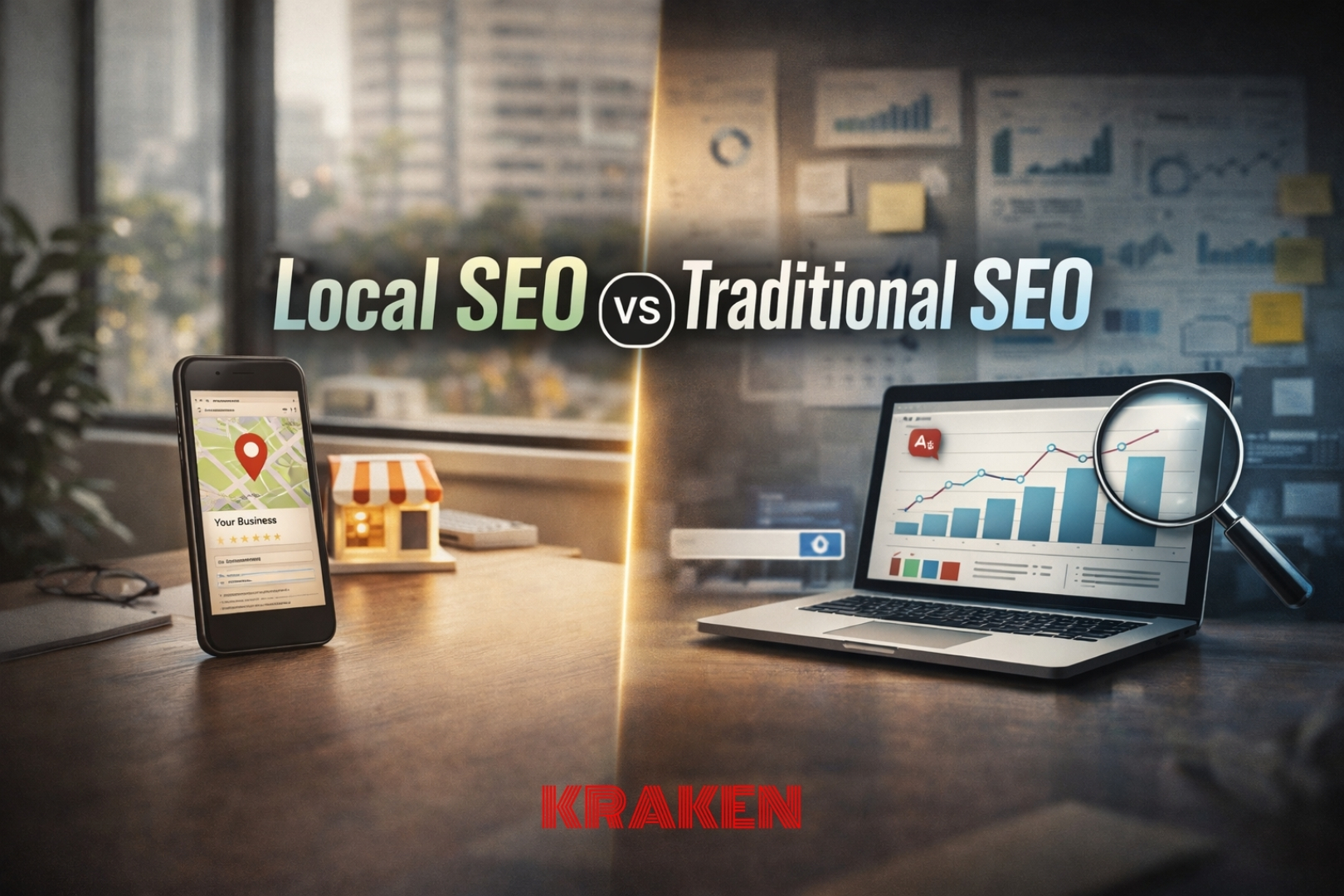
A Landing Page That Converts: Local Lead Generation Upgrade for 2026

If you’ve felt like “we’re getting views… but not enough calls,” you’re not imagining it.

Search is changing fast. With Google pushing more AI-driven answers and follow-up questions directly in results, more people are getting “pre-sold” before they ever hit your site. That’s good news and bad news. Good, because the click you do get is often higher intent. Bad, because your landing page has to close the deal faster than ever. Recent coverage of Google’s AI search follow-ups shows how quickly search is becoming a conversation, not a list of links—meaning fewer casual clicks and higher expectations when someone finally lands on your page (see The Verge’s update on AI search follow-ups).

That’s where landing pages stop being “marketing fluff” and start being your most important salesperson.

At Kraken Media, we build websites, landing pages, SEO, and content systems for Sarasota, Tampa, and Central Florida businesses that want leads—not just traffic. Let’s break down what quality landing pages actually do, why they matter more right now, and what to fix first if you want more conversions.

First, what exactly is a landing page (and why it’s not just “a page”)

A landing page is the page someone reaches after they click an ad, a search result, a social post, a QR code, or an email link. Google Ads defines it as the page people arrive at after clicking your ad—but the big idea applies everywhere: it’s the page that receives your intent (Google’s definition of a landing page).

Your homepage is usually a general overview.

A landing page is built for one job.

For example:

  • A dental practice homepage explains the whole office.
  • A dental implant landing page gets someone to book a consult.
  • A church homepage covers ministries and history.
  • An Easter service landing page drives RSVPs, directions, and service times.

When the page has one job, it can be designed to do that job really well.

The “current event” reality: trust is up for small business, patience is down for websites

People are more willing than you might think to choose a local, smaller brand—if you help them feel confident quickly. Pew Research has shown Americans overwhelmingly see small businesses positively, and that built-in goodwill is a competitive advantage… if your site doesn’t waste it (Pew’s 2024 snapshot on small business views).

Now pair that with how people behave today:

  • They skim fast.
  • They compare options fast.
  • They bounce fast if the page feels slow, unclear, or sketchy.

A quality landing page is how you turn that “small business trust” into an actual lead.

Quality landing pages convert because they nail the 5 decisions every visitor is making

A visitor is silently asking:

  • Am I in the right place? (Relevance)
  • Do I trust these people? (Credibility)
  • Is this easy? (Low friction)
  • Is this worth it? (Value)
  • What do I do next? (Clear next step)

When a landing page fails, it usually fails one of those five.

Here’s what “quality” looks like in plain language.

A quality landing page usually has:

  • One clear headline that matches what the person searched or clicked
  • A short subheadline that explains the outcome, not just the service
  • Proof that you’re legitimate (reviews, before/after, credentials, media, partners)
  • One primary call-to-action, repeated in smart spots
  • A fast load time, especially on mobile
  • A clean layout with scannable sections
  • Tracking that tells you what’s working

Learn more about your website homepage and how it leads to conversion: A Website Homepage That Converts for Small Businesses: The 10-Second Test (Part 1 of 3)

Speed is conversion, not “tech stuff”

Google’s Core Web Vitals guidance is basically a public statement of something every business owner already knows in their gut: slow, janky pages lose people. These metrics focus on loading speed, responsiveness, and visual stability—aka whether the page feels smooth and trustworthy in real life (Google’s Core Web Vitals overview).

If you want the simplest owner-friendly takeaway, it’s this:

  • If your landing page loads slow on mobile, you’re buying traffic you can’t keep.
  • If buttons jump around while loading, people don’t trust the site.
  • If the form is annoying, they’ll “do it later” (they won’t).

The compliance shift: “dark patterns” are getting heat—and that affects landing pages

Landing pages used to be the wild west. Now regulators are paying more attention to manipulative design patterns, especially around subscriptions, privacy, and misleading flows. The FTC has publicly called out “dark patterns” and the impact these tactics can have on consumers, which is useful guidance for ethical conversion-focused design (FTC release on dark patterns and subscriptions).

This matters even if you’re not running subscriptions, because the same design habits show up everywhere:

  • bait-and-switch offers
  • confusing fine print
  • guilt-trip popups
  • “hidden” fees or requirements
  • forms that collect way more info than needed

A high-quality landing page doesn’t trick people. It makes saying “yes” feel safe.

What “good” looks like: benchmarks and expectations

A lot of business owners think conversion rates should be massive. In reality, even a few percentage points can be a big win—especially if the leads are qualified. Unbounce has cited a median landing page conversion rate around 6.6% across industries (Q4 2024), which is a helpful baseline when you’re measuring improvement (Unbounce’s conversion benchmark).

Two practical takeaways:

  • If you’re at 1–2%, you likely have a clarity, speed, or trust problem.
  • If you’re at 5–10%+ on the right traffic, you’ve built an asset—not a page.

The Kraken Media Landing Page Checklist (built for local lead gen)

Here’s the stuff that moves the needle most for small businesses in Sarasota, Tampa, and Central Florida—without turning your page into a science project.

landing page

1) Match the message to the click

If someone clicks “AC Repair Spring Hill Emergency,” don’t land them on a generic HVAC homepage.

Your landing page should repeat and reinforce:

  • the service
  • the location
  • the next step

Semrush frames this under landing page optimization fundamentals—aligning the page to real intent so visitors feel instantly confirmed they’re in the right place (Semrush on landing page optimization).

2) Keep the page “one goal, one path”

A landing page is not a sitemap.

Use a single primary CTA like:

  • Call Now
  • Book an Appointment
  • Request a Quote
  • Schedule a Consult
  • Plan a Visit
  • Get a Free Estimate

Supporting links are fine, but don’t give people 12 different exits.

3) Add proof where it matters, not where it’s pretty

Proof should show up:

  • near the top (so confidence rises early)
  • near the CTA (so hesitation drops right before action)

That proof can be:

  • short testimonials
  • star rating screenshots (where allowed)
  • credentials and associations
  • before/after galleries (medical/dental/derm)
  • a 30–60 second “meet the team” video

And yes, review trust is becoming more regulated. The FTC’s move to curb deceptive review practices is one more reason to build trust the right way—with real proof and clean claims (Reuters coverage on the FTC’s fake review ban).

4) Make forms shorter than you think they should be

If you want more conversions, remove friction.

Try:

  • Name
  • Phone or Email
  • One “How can we help?” field

Then let your team handle the details after the lead comes in.

Read our recent blog to learn more about how to Increase Website Leads with Effortless Forms.

5) Use visuals that reduce uncertainty

Stock photos don’t answer the real fear: “Is this legit?”

Real visuals do:

  • your building
  • your team
  • your equipment
  • your process
  • your work

This is where Kraken Media’s on-site photo/video days can turn into a month of content and dramatically improve landing page trust signals.

Real-world landing page examples (from industries we serve)

Church / Non-profit: “Plan Your Visit” landing page

Goal: reduce anxiety, increase attendance, increase new visitor follow-through.

  • service times + parking info
  • what to wear, what to expect
  • kids check-in flow
  • quick directions button
  • optional RSVP (not required)

Dental: “Same-week new patient appointment” landing page

Goal: convert high-intent searches into booked visits.

  • insurance accepted (or simple financing note)
  • “what’s included” in the first visit
  • 2–3 credibility bullets about the doctor/team
  • click-to-call + online booking

Dermatology: “Acne consult” landing page

Goal: turn pain + embarrassment into action.

  • common outcomes
  • safe, factual before/after gallery
  • clear next step: consult request
  • transparent expectations (no miracle claims)

HVAC: “AC repair today” landing page

Goal: fast decisions, fast contact.

  • emergency availability
  • service area map snippet
  • badges, licenses, warranty highlights
  • call button pinned on mobile

Real estate: “Get a home value estimate” landing page

Goal: capture motivated sellers without feeling spammy.

  • quick form
  • explanation of what they receive
  • credibility: recent local wins, neighborhood expertise
  • optional: “text me the link” follow-up

Microsites vs landing pages (and when to use each)

Sometimes you don’t need one landing page, you need a small cluster designed to win a whole category.

If you’re curious about when a single landing page is enough versus when a microsite strategy makes sense, start with Kraken’s breakdown on powerful landing page design, then pair it with our approach to SEO that helps feed those pages higher-intent traffic.

(That’s the point: landing pages convert, and SEO + content systems fuel them.)

The simple upgrade path (what to do this month)

If you want better leads without rebuilding your whole site, do this in order:

  • Pick your top 1–2 money services (or highest priority offers)
  • Build one landing page per service with one clear CTA
  • Add real proof near the top and near the CTA
  • Improve mobile speed and remove layout clutter
  • Track outcomes like calls, forms, bookings—not just traffic
  • Run one small test every two weeks (headline, CTA, form length, proof placement)

That’s it. That’s the play.

Call to Action

👉 If you want a landing page that actually turns local intent into calls, bookings, and qualified leads, contact Kraken Media today! We’ll help you map the offer, build the page, capture the visuals, and set up tracking so you can see what’s working and scale it. 

__________________

Written by:  Shakir Miller
Kraken Media LLC

Have Questions?

Contact us to discuss how we can create a unique solution for your organization.  We work with individuals and large businesses to streamline their video, live streaming, and marketing needs.  Click the link below or email us directly at developer@krakenusa.com.
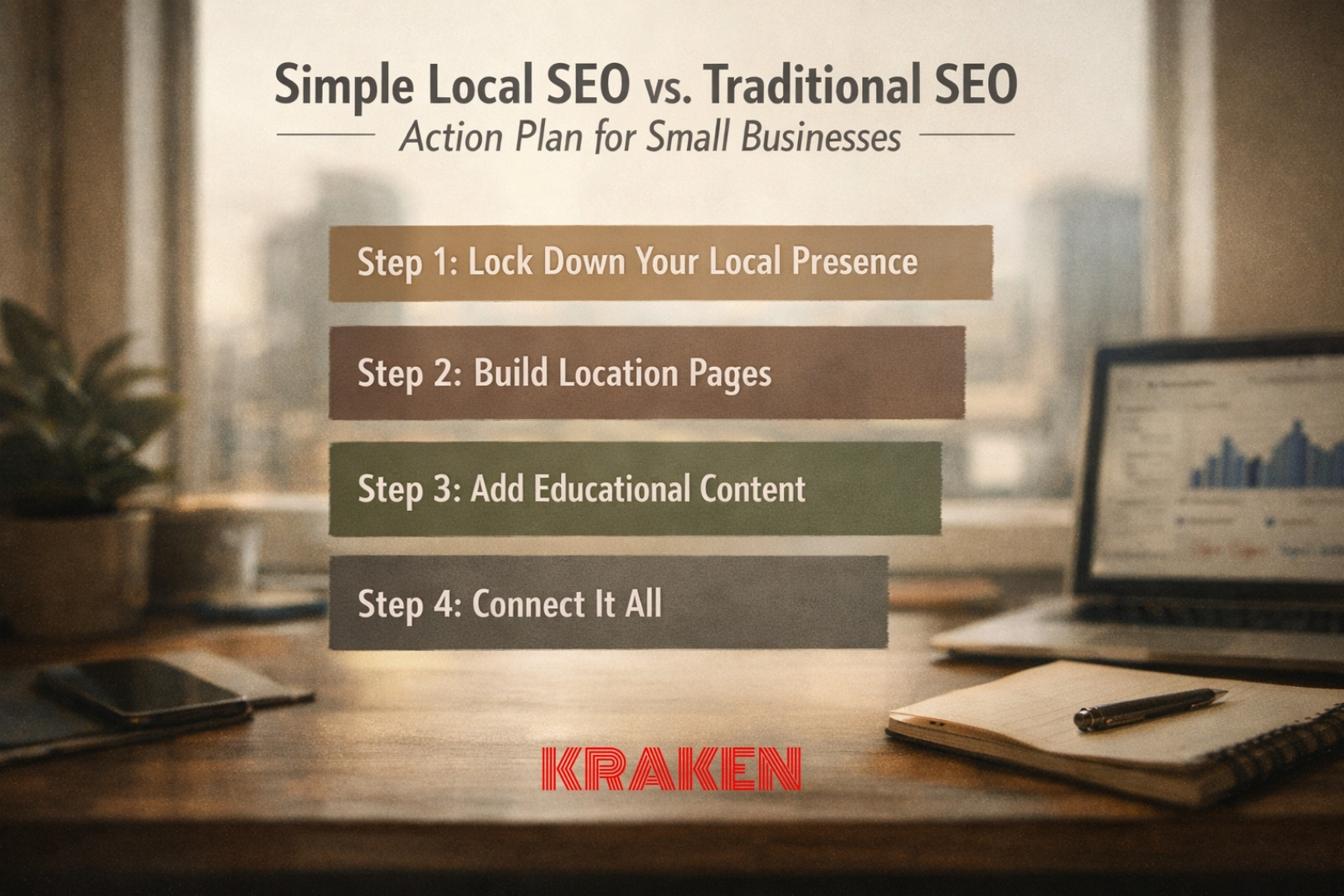
Predictable Lead Generation: Landing Page + Website Conversion Hacks (Part 3 of 3)

If Part 1 was “Can people instantly understand you?” and Part 2 was “Can people contact you without friction?”, then Part 3 is the real growth move:

Can you make lead generation predictable by building a repeatable conversion system—and improving it on purpose?

Because the reality right now is this: clicks are harder to earn, and attention is shorter. Pew’s analysis of Google AI summaries found users clicked traditional search results less often when an AI summary appeared (8% vs 15%). That’s a big deal for any business that depends on local search for lead generation. (Pew Research Center) And the broader trend—AI summaries compressing traffic—has a lot of industries rethinking how they convert the visitors they do get. (The Guardian)

So here’s the advanced lead generation playbook: intent-based landing pages + segmented CTAs + proof blocks + experimentation + measurement.

Let’s build it like a system.

1) Intent-based landing pages: stop sending everyone to the same “catch-all” page

Most service websites have one big problem:

They send every type of visitor to the same page… then wonder why conversion rates are inconsistent.

Intent-based landing pages or microsites match the webpage to what the person meant when they searched or clicked. This results in more instant reassurance that they are in the right spot for the right service right now.

Common intent buckets for service businesses

  • Emergency / urgent: “AC not cooling,” “tooth pain,” “same-day appointment”
  • Routine: “maintenance,” “cleaning,” “skin check,” “home valuation”
  • New customer: “first visit,” “new patient special,” “new member info”
  • Existing customer: “schedule follow-up,” “pay bill,” “service agreement”
  • High-intent service: “implant consult,” “laser treatment,” “new system install”
  • Research mode: “cost,” “process,” “reviews,” “before/after,” “FAQ”

A practical landing page guide is Semrush’s breakdown of what actually improves landing page performance and lead generation—clarity, single purpose, trust, and stronger offers. (Semrush)

The landing page rule that keeps you honest

One page, one promise, one primary action.

If the visitor came in on “Emergency AC Repair Tampa,” the page should:

  • say emergency repair
  • show your emergency availability and service area
  • make “Call Now” the primary CTA
  • prove you’re legit (reviews, license, real photos)
  • reduce uncertainty (pricing approach, response time, what happens next)

lead generation

2) Segmented CTAs: “Call now” isn’t always the best next step

The #1 advanced homepage + landing page or microsite upgrade is this:

Different people need different next steps.

Example: HVAC segmented CTAs

  • Emergency: “Call Now” (sticky button on mobile)
  • Routine maintenance: “Book a Tune-Up”
  • Replacement quote: “Get an Estimate”
  • After-hours: “Text Us” (with clear expectations)

Example: dental segmented CTAs

  • Emergency pain: “Call Now”
  • New patient: “Request Appointment”
  • Cosmetic consult: “See Options + Pricing”
  • Existing patient: “Call Front Desk” / “Patient Portal”

Google’s own guidance for ads and landing pages reinforces the importance of a clear lead generation call-to-action that tells users what to do and what to expect. (Google Help)

Quick win: Put the “emergency” CTA first only when the intent is urgent. Otherwise, you’ll funnel routine visitors into a call they don’t want to make.

3) Proof blocks on service pages: the fastest way to “de-risk” a decision

Once you start using intent-based pages, your service pages can’t just be “what we do.” They need to answer the silent question:

“Why should I trust you with this specific problem?”

A high-performing proof block includes

  • 3 short reviews that mention the specific service
  • Real photos of the team, office, trucks, treatment rooms, sanctuary, property signage
  • Badges (license, insurance, financing, associations)
  • Mini FAQ (“How soon can you come?”, “Do you take my insurance?”, “Do you offer estimates?”)
  • Process snapshot (“Step 1… Step 2… Step 3…”)

This is where your on-site content day pays off: when your page shows real evidence, visitors stop treating you like a risky unknown.

4) Booking-flow experiments: your calendar is either a lead machine or a leak

By now you’ve likely learned why it is important to build forms and booking that work (Part 2) when it comes to website lead generation. The advanced move is testing the booking flow like a system:

Experiments worth running (in order)

  1. Shorten the flow (fewer steps, fewer fields)
  2. Change the order (show availability first, then collect details)
  3. Adjust the CTA copy (“Book Now” vs “Check Availability”)
  4. Add reassurance near the button (response time, no obligation, what happens next)
  5. Offer two paths: urgent vs routine
  6. Tighten confirmation + auto-reply (reduce anxiety, increase show rates)

Google Analytics supports A/B testing concepts directly in their GA4 help documentation, defining A/B tests as randomized experiments across variants shown to users at the same time. (Google Help)

Important note: Don’t test 10 things at once. Test one meaningful change so you can trust the result.

Google Analytics—GA4—should track actions that turn into real business (lead generation), not just traffic.

If you haven’t read our Google Analytics series, check them out here:

  1. Google Analytics for Beginners: The Simple Small Business Starter Guide (Part 1)
  2. Google Analytics for Small Businesses: Track What Really Matters (Part 2)
  3. Google Analytics—Mistakes That Cost Leads and How to Fix Them (Part 3)

5) A/B testing roadmap: what to test first for service businesses

Here’s a simple roadmap that keeps testing focused on revenue outcomes, not vanity design debates.

Phase 1: The “money clicks”

Test improvements that affect the actions that results in lead generation:

  • Click-to-call rate
  • Form submit rate
  • Booking completion rate

Phase 2: The “belief builders”

  • Adding proof blocks
  • Rewriting the first 200 words for clarity
  • Swapping stock photos for real photos
  • Adding service-area clarity (“Serving Sarasota + Bradenton + Lakewood Ranch”)

Phase 3: The “offer mechanics”

  • Price framing (“starting at,” “free estimate,” “new patient offer”)
  • Financing messaging placement
  • Service guarantee language
  • Bundles (for example, “tune-up + priority scheduling”)

Phase 4: The “segment system”

  • Emergency vs routine CTAs
  • New vs existing customer paths
  • Different landing pages by service line and location

If you need help with landing page optimization best practices to improve lead generation results, reach out for a consult.

6) Heatmaps + session recordings: stop guessing, start watching

Analytics tells you what happened. Heatmaps and recordings show you why.

For example:

  • People rage-click a non-clickable element (you just found a UX trap)
  • People stop scrolling right before your pricing section (you buried the good stuff)
  • People tap the call button… and nothing happens (tracking or UI issue)

What to look for first:

  • Rage clicks (frustration)
  • Dead clicks (expected something clickable)
  • Scroll depth (where attention drops)
  • Form abandon points (which field causes exits)

7) Call tracking: the missing link for local service businesses

If you’re HVAC, dental, dermatology, real estate, or even a church that relies on calls, phone leads are often the real conversion.

But most businesses can’t answer:

  • Which page drove the call?
  • Which campaign drove the call?
  • Which keyword drove the call?
  • Did the call last long enough to count as a real lead?

Google Ads provides a documented method to track calls from your website using Google Tag Manager and a “Calls from website” conversion action. (Google Help)

Call tracking for lead generation becomes powerful when it ties back to:

  • landing pages
  • CTA variants
  • booking changes
  • real lead quality (call duration, booked appointments, closed deals)

8) Tie changes to measurable outcomes: the “predictable lead generation” scoreboard

This is the part most businesses skip—then they wonder why marketing feels random.

Your scoreboard (simple + real)

Track these before and after each improvement:

  • Lead generation volume: calls, forms, bookings
  • Lead quality: call duration, booked appointments, qualified inquiries
  • Conversion rate: by page and by traffic source
  • Cost per lead (if running ads)
  • Time to first response (how fast you follow up)

Then you can say, with confidence:

  • “This landing page increased booking completion by 18%.”
  • “This CTA change increased calls from mobile by 12%.”
  • “This proof block reduced bounce and lifted form submits.”

That’s what makes lead generation predictable: small improvements, proven by measurement, stacked over time.

How Kraken Media helps (advanced version)

This is exactly where Kraken Media thrives—building not just websites, but conversion systems that get better month after month:

  • intent-based landing pages by service + location
  • segmented CTAs (emergency vs routine, new vs existing)
  • proof blocks built from real on-site photo/video
  • tracking for calls, forms, and bookings
  • structured testing roadmap so decisions aren’t based on opinions

If you want to see how we approach high-end website builds that support real marketing goals and lead generation, start here: Website Design by Kraken Media.

Call to Action

👉 When you’re ready, contact us and ask for a “Lead Generation Conversion System Audit.” We’ll identify your biggest leaks, your highest-impact landing pages, and the first 3 tests most likely to increase leads.

__________________

Written by:  Shakir Miller
Kraken Media LLC

Have Questions?

Contact us to discuss how we can create a unique solution for your organization.  We work with individuals and large businesses to streamline their video, live streaming, and marketing needs.  Click the link below or email us directly at developer@krakenusa.com.

Forms + Booking That Increase Website Leads: Reduce Friction, Improve Conversions (Part 2 of 3)

If Part 1 was about passing the 10-second homepage test, Part 2 is about what happens right after someone decides, “Okay… I’m interested.”

Because right now, the internet is shifting into an “answer-first” era. When AI summaries show up in search results, people click website links less often, Pew’s March 2025 analysis found clicks dropped from 15% to 8% when an AI summary appeared. (Pew Research Center) And publishers are openly calling this the “end of the traffic era,” meaning fewer visits, higher stakes, and way less patience. (The Guardian)

So when someone does reach your website and tries to contact you, to increase website leads, your job is simple:

Don’t make it hard to become a lead.

This is the “friction tax” that service businesses accidentally charge every day:

  • long forms
  • confusing booking steps
  • errors that only show up after submit
  • no confirmation
  • no clear next steps
  • slow or missing follow-up

Let’s fix it.

The goal: make “contacting you” feel effortless

A visitor is usually thinking one of two things:

  1. “I need help fast.” (HVAC, urgent dental pain, same-week appointment)
  2. “I want to feel confident before I commit.” (dermatology consult, real estate, church visit)

Either way, friction kills momentum when trying to increase website leads.

Here’s the conversion mindset that wins in 2026:

  • Less typing
  • Fewer decisions
  • Clear reassurance
  • Fast confirmation
  • Strong follow-up

1) Shorter forms win, but “smarter” forms win more

Most small business websites ask for too much too soon.

The “minimum viable form” for service businesses

If you want to increase website leads, start here:

Required fields (often enough):

  • Name
  • Phone or email
  • “How can we help?” (message box)

That’s it.

Everything else is optional, and often better handled after you make contact.

If you must add fields, order them from easiest to hardest

A simple best practice from conversion research: put low-effort questions first, and higher-effort questions later, so people don’t quit early. (CXL)

Best field order (usually):

  1. Name
  2. Phone
  3. Email (or swap with phone depending on your audience)
  4. Service needed (dropdown)
  5. Preferred day/time (optional)
  6. Notes (optional)

Real-world examples

  • HVAC: “What’s going on?” beats “Serial number, tonnage, install year.”
  • Dental: “Reason for visit” beats “Insurance ID” on first contact.
  • Church: “Plan a visit” form doesn’t need a full life story—name + phone/email is plenty.

2) Inline validation: fix problems before the rage-click happens

Nothing feels worse—and kills your chance to increase website leads—than filling out a form, hitting submit, and getting a vague error at the top like “Something went wrong.”

Inline validation means the form helps people succeed as they type:

  • “Phone number looks short—add area code”
  • “Email needs an @ symbol”
  • “This field can’t be blank”

It’s also an accessibility and clarity issue. WCAG 2.2 specifically emphasizes that errors should be clearly identified in text so users understand what went wrong. (w3.org)

Inline validation checklist (simple, effective) to help increase website leads

  • Errors appear next to the field, not only at the top
  • The message tells them how to fix it, not just that it’s wrong
  • Required fields are labeled clearly
  • The submit button is disabled only if you clearly explain why

3) “Tap-to-call” and “tap-to-text” should be first-class options

For local service businesses, the fastest lead is often a call or text.

Make these ridiculously easy

  • Put a click-to-call button in the header on mobile
  • Put a click-to-text option near the form
  • Repeat both near the bottom, after your credibility block

If you offer texting, do it correctly. Business texting in the US has compliance requirements, including consent and registration in many application-based sending setups, Twilio’s A2P 10DLC documentation is a good plain-language reference point. (Twilio)

Practical “safe” phrasing near a text button:

  • “Text us for availability. By texting, you agree to receive messages related to your inquiry.”

4) Booking UX: fewer steps, fewer surprises, more confidence

Online booking can be a machine to increase website leads, or it can be a silent lead killer.

The booking experience people actually want

  • See availability quickly
  • Pick a time in 2–3 taps
  • Know what happens next
  • Get confirmation immediately
  • Reschedule without calling (if possible)

Booking friction that kills conversions

  • forcing account creation
  • hiding the calendar behind multiple screens
  • asking for too many details before showing times
  • no timezone clarity for snowbirds or remote buyers
  • no confirmation message, or a confusing one

Best practice: show available times early, then collect details.

5) Confirmation pages are not “nice,” they’re a conversion asset

After someone submits a form or books, your thank-you page should do real work.

A great confirmation page includes

  • A clear message: “We got it.”
  • The expectation: “You’ll hear from us within X hours.”
  • A backup option: “Need this sooner? Call now.”
  • One helpful next step: pricing guide, service area map, what to bring, what to expect

This is where you reduce buyer anxiety.

Industry examples

  • Dermatology: “If this is urgent or you have concerning symptoms, call.”
  • Dental: “For emergencies, call now.”
  • HVAC: “If your system is down, call—we prioritize no-cool calls.”
  • Real estate: “We’ll text you within 10 minutes during business hours.”

6) Auto-replies that build trust, not clutter

Your auto-reply is your “digital front desk.” It can instantly make your business feel responsive, organized, and professional, therefore also help to increase website leads.

The auto-reply formula

Subject: “Request received — here’s what happens next”

Body:

  • Confirm the submission or booking
  • Repeat key details
  • Set expectations (timeline + who will reach out)
  • Provide quick links or answers
  • Give an urgent contact option

If your email is promotional in nature, make sure you understand the FTC’s CAN-SPAM compliance basics. Even when messages are transactional, good habits reduce risk and confusion. (Federal Trade Commission)

7) Track the right actions so you can improve what matters

If you don’t track form submits and bookings properly, you end up “guessing” your marketing.

GA4 has recommended events to standardize key actions across reporting, including lead-oriented events commonly used for inquiries. (Google for Developers)

What you should measure (minimum):

  • Form submissions
  • Click-to-call taps
  • Click-to-text taps
  • Booking confirmations
  • Contact page views
  • Thank-you page views

This is where many businesses discover the painful truth:
They’re paying for traffic… but the form is broken, confusing, or buried.

Learn more about GA4 and tracking events that matter: Google Analytics for Small Businesses: Track What Really Matters

The “Reduce Friction” checklist to increase website leads (steal this)

If you want a quick action plan to increase website leads, start here:

  • Cut your form to 3 required fields
  • Order questions from easiest to hardest (CXL)
  • Add inline validation and clear error text (w3.org)
  • Add click-to-call in the mobile header
  • Add click-to-text with clear consent language (Twilio)
  • Make booking 2–3 steps max
  • Build a real confirmation page with expectations
  • Send an auto-reply that explains “what happens next”
  • Track form/book/call events in GA4 (Google for Developers)

How Kraken Media helps (the practical version)

At Kraken Media, we build service-business websites that don’t just look good, they increase website leads reliably—especially on mobile.

That usually includes:

  • conversion-focused form design + booking UX
  • click-to-call/text setup
  • confirmation pages and messaging
  • automation-friendly handoff to email/CRM
  • professional on-site photo/video so visitors trust you fast

If you want to see how we think about modern websites that “dress” for real-world marketing, this post is a solid companion read: Is your Website Dressed for Digital Marketing Success?

Call to Action

👉 If you want more leads without spending more on ads, reach out to Kraken Media and ask for a “Friction Audit” of your forms and booking flow.

__________________

Written by:  Shakir Miller
Kraken Media LLC

Have Questions?

Contact us to discuss how we can create a unique solution for your organization.  We work with individuals and large businesses to streamline their video, live streaming, and marketing needs.  Click the link below or email us directly at developer@krakenusa.com.

A Website Homepage That Converts for Small Businesses: The 10-Second Test (Part 1 of 3)

January has a way of exposing weak website homepages.

Not because your service worsened in any way, but because attention got even more expensive. Between busier ad competition, “zero-click” search behavior, and AI-generated summaries answering questions before people ever reach your site, fewer visitors are arriving—so the visitors who do arrive matter more than ever.

A recent Reuters Institute analysis (reported today) highlights how AI summaries and changing discovery habits are shrinking referral traffic across the web, which makes conversion-focused pages the new survival skill. (The Guardian)

So let’s talk about the simplest website homepage audit you can run:

The 10-Second Test:
If a stranger lands on your website homepage and can’t answer these three questions in 10 seconds, your site is leaking leads:

  • What do you do?
  • Where do you do it?
  • What should I do next?

This post is Part 1 (Basics) of a 3-part series. We’re keeping it practical, fast to apply, and built for real service businesses—churches, dental, dermatology, HVAC, real estate, and community organizations—especially here in Sarasota, Tampa, and Central Florida.

Why the 10-Second Test matters more right now

Here’s the “current event” shift in plain English:

  • Search is getting “answer-first.” When Google shows AI summaries, people click traditional results less often—Pew found clicks dropped from 15% (no AI summary) to 8% (with an AI summary) in their March 2025 analysis. (Pew Research Center)
  • That means your homepage has to close the deal faster. Fewer visits, higher intent, less patience.

So instead of thinking “How do we get more traffic?” start here: How do we make the traffic we already get convert at a higher rate?

website homepageStep 1: Nail the “What, Where, Next” above the fold

Above the fold = what someone sees before scrolling (especially on mobile).

A simple headline formula that works

[Service] in [Location] for [Ideal Customer] — [Primary Outcome]

Examples:

  • “Emergency AC Repair in Sarasota — Same-Day Service, Clear Pricing”
  • “Family Dentistry in Tampa — Comfortable Care, Modern Options”
  • “Dermatology in St. Pete — Skin Exams, Acne Care, and Cosmetic Treatments”
  • “Real Estate Team Serving South Tampa — Buy, Sell, or Invest with Confidence”
  • “Historic Church in St. Petersburg — Worship, Community, and Outreach”

The sub-headline’s job

Your website homepage sub-headline should answer: “Why should I trust you?” Keep it specific:

  • Years in business
  • Certifications
  • Service area
  • What makes the process easier (financing, scheduling, same-day availability, transparent estimates)

Pro tip:

First impressions are heavily tied to perceived credibility—design clarity and visual trust cues matter immediately. (nngroup.com)

Quick homepage win (5 minutes):

  • Replace vague hero website headlines like “Welcome” or “Quality You Can Trust.”
  • Use plain language a real customer would repeat to a friend.

Step 2: Clean hierarchy—one page, one primary mission

Most website homepages don’t fail because they’re ugly. They fail because they’re trying to do 12 things at once.

Clean hierarchy looks like this:

  1. Clear headline (what/where/outcome)
  2. One primary CTA (the #1 action you want)
  3. 3 supporting proof points (why you)
  4. Service snapshot (what you offer, short)
  5. Credibility block (reviews, badges, affiliations, photos)
  6. FAQ preview (answer objections)
  7. Secondary CTA (repeat the next step)

Pick one primary CTA (and stick to it)

Choose the highest-value action for your business:

  • HVAC: “Book Service” or “Call Now”
  • Dental: “Request Appointment”
  • Dermatology: “Schedule Consultation”
  • Real Estate: “See Listings” or “Get a Home Value”
  • Church / nonprofit: “Plan Your Visit” or “Watch Live”

When everything is a button, nothing is a direction. Learn more about key events to track based on Google Analytics 4 (GA4) in our blog: Google Analytics for Small Businesses: Track What Really Matters (Part 2)

Step 3: Make mobile the “main” version of your website

This isn’t a design preference. It’s reality.

Google uses the mobile version of content for indexing and ranking (mobile-first indexing). If your mobile website homepage experience is missing content, slow, or hard to use, you’re competing with one hand tied behind your back. You can read Google’s own guidance on mobile-first indexing best practices. (Google for Developers)

Mobile-first checklist (simple + effective)

  • Buttons are thumb-friendly (no tiny links)
  • Phone number is tap-to-call
  • Forms are short (name, phone, message)
  • Menu isn’t cluttered
  • Your primary CTA is visible without scrolling
  • Images aren’t massive file sizes

Step 4: Speed is conversion—and now it’s an SEO signal you can’t ignore

If your website homepage “feels laggy,” people bounce. And Google is increasingly measuring that.

In 2024, Interaction to Next Paint (INP) replaced First Input Delay as a Core Web Vital—meaning responsiveness (how fast your site reacts when someone taps) is now a headline performance metric. (web.dev)

What this means for service businesses:

  • Slow menus = fewer calls
  • Slow forms = fewer leads
  • Heavy sliders/video backgrounds = fewer bookings (unless implemented carefully)

Fast fixes that usually move the needle

  • Compress images (especially hero images)
  • Limit heavy animation plugins
  • Use one strong hero visual, not five rotating ones
  • Avoid stacking popups on popups
  • Delay loading non-essential scripts

Step 5: Credibility signals—do it the right way (because rules got stricter)

Trust isn’t a “nice to have.” It’s part of the conversion equation.

What counts as credibility on a website homepage

  • Real photos of your team, office, trucks, sanctuary, treatment rooms
  • Reviews (Google, Facebook, industry platforms)
  • Before/after (where appropriate and compliant)
  • Associations, awards, licensing, insurance
  • Media mentions and community partnerships
  • Clear guarantees or process transparency

But don’t get cute with reviews

The FTC has been tightening guidance and enforcement around deceptive reviews and testimonials. Their business guidance page is worth reading if reviews are part of your marketing. (Federal Trade Commission)
And the FTC’s rule banning fake reviews went into effect in late 2024, raising the stakes for businesses that buy, fabricate, or manipulate testimonials. (AP News)

Also, platform policies matter. For example, Yelp explicitly tells businesses not to ask for reviews. (Yelp Support)

So what should you do instead?
Build a “review habit” that’s ethical and platform-aware:

  • Ask for feedback privately (post-service survey)
  • Direct happy customers to the platforms you’re allowed to request
  • Never incentivize reviews
  • Feature reviews on-site with clear sourcing

Read more about how Powerful Online Reviews Can Make (or Break) Your Small Business.

Step 6: “Visual proof” beats “marketing claims” every time

This is where most small businesses accidentally undersell themselves.

A church can say “welcoming community” all day—one warm 20-second lobby clip proves it.
An HVAC company can say “professional team”—a clean, branded truck + uniform photo proves it.
A dental office can say “modern care”—a quick operatories walkthrough proves it.

This is why Kraken Media pairs web builds with professional photo/video content—your website homepage converts better when it shows reality, not just tells it.

If you want to see how we approach conversion-focused builds, start here: Kraken Media home and our Website Design page.

Read more to gut-check: Is your Website Dressed for Digital Marketing Success?

The “10-Second Test” Website Homepage Scorecard (steal this)

Give yourself 1 point for each “yes.” Total possible: 10.

  • My headline clearly states what we do
  • My headline clearly states where we serve
  • My homepage has one primary CTA
  • My primary CTA is visible on mobile without scrolling
  • My services are explained in plain language (not industry jargon)
  • I show real photos/video of our team or work
  • I show reviews/testimonials ethically and clearly
  • My site feels fast and responsive on mobile
  • My navigation is simple (no mega-menu chaos)
  • A visitor can contact us in one tap (call, form, directions)

Score interpretation:

  • 8–10: You’re in strong shape—optimize next.
  • 5–7: You’re probably “pretty” but leaking leads.
  • 0–4: You’re paying for traffic you can’t keep.

How Kraken Media helps (without the fluff)

If you’re serving Tampa Bay / Sarasota / Central Florida, this is exactly the kind of foundation we build:

  • Web development that’s mobile-first and conversion-focused
  • On-site photo + video production that creates a month of usable assets in one content day
  • SEO structure that supports local discoverability
  • Tracking and measurement so you know what’s working (and what’s not)

If your website homepage fails the 10-second test, we can fix it fast—usually by tightening the message, simplifying the layout, upgrading visuals, and improving mobile performance.

Call to Action

👉 If you want a second set of eyes, contact us today and ask for a “10-Second Test” review of your current website homepage. We’ll tell you what’s working, what’s costing you leads, and what to change first.

__________________

Written by:  Shakir Miller
Kraken Media LLC

Have Questions?

Contact us to discuss how we can create a unique solution for your organization.  We work with individuals and large businesses to streamline their video, live streaming, and marketing needs.  Click the link below or email us directly at developer@krakenusa.com.

Google Analytics—Mistakes That Cost Leads and How to Fix Them (Part 3)

If you’ve read Part 1 and Part 2, you already know the big idea: Google Analytics—GA4—should track actions that turn into real business, not just traffic.

If you haven’t—STOP! You may really benefit from reading these first:

Here’s what we see constantly across Sarasota, Tampa, and Central Florida:

GA4 is “installed,” but the business still can’t answer basic questions like:

  • How many calls came from the website last week?
  • Which pages are producing real leads?
  • Which campaigns are worth the money?

When those answers aren’t clear, it usually comes down to a few repeat mistakes. Let’s walk through the biggest ones—and the fixes that actually improve ROI.

(And if you want the full Kraken Media view on how measurement fits into modern web + content + video, start here: https://www.krakenusa.com/ and our guide on search behavior shifts: https://krakenusa.com/preparing-your-content-for-conversational-ai-voice-search/.)

Mistake #1: Treating pageviews like success

Pageviews and sessions are fine for awareness, but they’re not the scoreboard.

The trap:
“Traffic went up” becomes the win.

The reality:
Traffic can rise while leads drop.

Why it costs you leads

When you focus on pageviews, you miss intent. A service page with 200 visits and 12 calls is a better asset than a blog post with 2,000 visits and no actions.

Fix

Make your Google Analytics—GA4—reporting revolve around:

  • call clicks
  • form submissions
  • appointment requests
  • quote requests
  • donation completions (nonprofits)

GA4 is built around event-based measurement, so you can track those actions directly, instead of guessing from pageviews (see Google’s event-based tracking overview via the GA4 developer guide: https://developers.google.com/analytics/devguides/collection/ga4/events). (Google for Developers)

Mistake #2: Missing or misconfigured Key Events

If GA4 doesn’t know what a “win” is, it can’t report wins.

Key Events are GA4’s way of highlighting the actions that matter most to your business. Google Analytics explains Key Events as the important actions you want surfaced in reports (Google’s Key Events explanation: https://support.google.com/analytics/answer/13965727?hl=en). (Google Help)

What this looks like in real life

  • Your phone number gets tapped all day, but GA4 reports “0 conversions”
  • Your contact form works, but it isn’t tracked
  • Your booking software is driving appointments, but Google Analytics GA4 can’t see them
  • Everything is marked “important,” so nothing stands out

Fix

Start simple: 3–6 Key Events max.

A clean starter set:

  • call_click (tap-to-call)
  • contact_form_submit
  • booking_submit or appointment_scheduled
  • direction_click (location-based)
  • email_click
  • lead (catch-all for real inquiries)

If you wouldn’t celebrate it as a business outcome, don’t label it as a Google Analytics Key Event.

Mistake #3: Your data is polluted by internal traffic

This one quietly ruins reports.

If you, your staff, your developer, or your marketing team are constantly testing pages and forms, GA4 will record it unless you exclude it.

Why it costs you leads

Dirty data causes false confidence:

  • engagement looks higher than it really is
  • conversions look inconsistent
  • decisions get made on fake patterns

Fix

Filter internal traffic and developer traffic.

Google Analytics provides a straightforward way to exclude internal traffic using GA4’s Data Filters (official instructions: https://support.google.com/analytics/answer/10104470?hl=en). (Google Help)

(Once this is clean, your weekly reporting starts becoming believable.)

Mistake #4: “Set it and forget it” analytics

GA4 isn’t a tattoo. It’s a dashboard.

Any of these can break tracking:

  • redesigns
  • theme updates
  • new forms
  • new booking tools
  • button changes
  • new landing pages

What this looks like

  • Form events stop firing after a plugin update
  • You add a new “Call Now” button, but it isn’t tracked
  • Your “best campaign” suddenly drops to zero, because tracking broke—not because demand died

Fix

Treat GA4 as part of operations:

  • Monthly: quick tracking spot-check (are calls/forms still recording?)
  • Quarterly: review Key Events (are these still the actions that matter most?)
  • Any major site change: retest conversions immediately

This is exactly why Kraken Media ties tracking into web development and ongoing content—because a website that evolves without measurement becomes expensive guesswork over time (https://www.krakenusa.com/).

Mistake #5: Over-tracking and creating “report noise”

google analyticsSome businesses track everything:

  • every scroll depth
  • every tiny click
  • every micro interaction

Then they open Google Analytics—GA4—and can’t tell what matters.

Why it costs you leads

When everything is “important,” nothing is.

It also increases time wasted in meetings debating metrics that don’t affect revenue.

Fix

Build a simple hierarchy:

  • Key Events: true business outcomes (calls, forms, bookings, donations)
  • Supporting events: signals of intent (click “Services,” scroll on a service page, video engagement)
  • Ignore list: things you’ll never act on

If your team can’t explain the purpose of a Google Analytics event in 10 seconds, it probably shouldn’t be there.

Mistake #6: Ignoring privacy realities and consent expectations

Tracking should help your business grow, but it also needs to respect modern privacy expectations.

Regulators have increased scrutiny around sensitive data practices, and the FTC has taken notable action involving sensitive location data and data brokers (FTC announcement: https://www.ftc.gov/news-events/news/press-releases/2025/01/ftc-finalizes-order-prohibiting-gravy-analytics-venntel-selling-sensitive-location-data). (Federal Trade Commission)

Fix

Keep measurement ethical and practical:

  • focus on first-party actions on your site (calls, forms, bookings)
  • avoid shady shortcuts
  • keep your privacy policy and consent approach aligned with how you collect data

If you do that, you protect trust while still getting real insights.

The Kraken Media “GA4 sanity checklist”

If you want GA4 to drive ROI, make sure you can answer these weekly:

  • How many call clicks happened?
  • How many contact forms were submitted?
  • How many bookings (or strong booking-intent actions) happened?
  • Which pages produced the most Key Events?
  • Which source produced the highest-quality sessions (not just the most sessions)?

If you can’t answer those, your Google Analytics, GA4, setup isn’t “bad”—it’s just not configured for business outcomes yet.

Need help fixing it fast?

Call to Action

👉 If you want us to audit your Google Analytics tracking, clean up Key Events, filter internal traffic, and help you build a simple dashboard your team will actually use, Contact Kraken Media today!

__________________

Written by:  Shakir Miller
Kraken Media LLC

Have Questions?

Contact us to discuss how we can create a unique solution for your organization.  We work with individuals and large businesses to streamline their video, live streaming, and marketing needs.  Click the link below or email us directly at developer@krakenusa.com.

Google Analytics for Small Businesses: Track What Really Matters (Part 2)

In our previous post, Google Analytics for Beginners: The Simple Small Business Starter Guide, we broke down Google Analytics in plain, easy-to-understand terms. If you haven’t read it yet, it’s worth starting there—it sets the foundation for everything that follows.

If you’ve felt like analytics suddenly got more complicated right as privacy rules became stricter, you’re not imagining it. In 2025, measurement and privacy continue to collide in very public ways. Google Analytics has adjusted its approach to third-party cookies in Chrome, signaling that tracking is still evolving and far from a simple on/off switch. At the same time, U.S. regulators are taking a harder stance on sensitive data collection, including recent FTC actions limiting the sale of location data.

So what does this mean for a business owner in Sarasota, Tampa, or anywhere in Central Florida?

It means first-party measurement matters more than ever. The goal is no longer to track everything—it’s to track the right actions, do it ethically, and use that data to make smarter business decisions.

That’s exactly where **Google Analytics—GA4—**shines.

Google Analytics in plain English: it’s built around actions, not pageviews

GA4 is Google’s current google analytics platform, designed for modern customer journeys—where people bounce between Instagram, Google, email, your website, and back again. Google describes GA4 as event-based and built to measure across web and apps, with more privacy-oriented controls and modeling than the old Universal Google Analytics (Google’s GA4 overview).

Translation for a business owner: Google Analytics 4 is less about “how many people visited” and more about “what did they do that matters.”

Examples of GA4-friendly actions:

  • page_view (they landed on a service page)
  • scroll (they showed real interest)
  • click (they tapped “Call Now”)
  • form_submit (they became a lead)
  • booking_complete (they scheduled)
  • donation (they gave)

The big mindset shift: “sessions” still exist, but events tell the truth

In the old days, we obsessed over:

  • time on page
  • bounce rate
  • pageviews

Google Analytics 4 still shows versions of these, but the real power is that you can tie outcomes to behavior.

Here’s a simple way to think about GA4:

  • Traffic = who showed up
  • Engagement = who actually paid attention
  • Key Events = who did something valuable
  • Revenue / pipeline = what the attention turned into

That’s the difference between “marketing feels busy” and “marketing is profitable.”

Engagement metrics in GA4 that actually matter

GA4 leans into engagement because it’s a stronger signal than “they loaded a page.”

Key google analytics engagement metrics to watch:

  • Engagement rate: % of sessions that meet GA4’s “engaged” criteria
  • Engaged sessions: how many visits included meaningful interaction
  • Average engagement time: time your site was actually in focus, not just open in a tab
  • Bounce rate (still there): now it’s basically the inverse of engagement rate

Semrush breaks this down clearly and shows how engagement rate and bounce rate relate in GA4 (Semrush GA4 engagement rate guide).

What engagement looks like in real life

  • Dental office: people who read your “Sedation Dentistry” page, then click “Request Appointment”
  • Dermatology practice: visitors who scroll through before/after content, then tap “Call”
  • HVAC company: people who hit “Emergency AC Repair,” then click-to-call from mobile
  • Real estate team: users who watch a community video, then click “Schedule a tour”
  • Church / nonprofit: visitors who view events, then donate or sign up to volunteer

Cross-device is real, even when it’s messy

Your customer journey is rarely one straight line.

Someone might:

  • see a reel at lunch,
  • Google you later,
  • check reviews that evening,
  • and finally call the next morning from their phone.

A lot of discovery now happens on social platforms, which is why it’s important to track how those visitors behave once they land on your site (Pew Research on social media news usage). (Pew Research Center)

Google Analytics 4 helps you connect the dots across channels so you can stop guessing which content actually drives calls, bookings, donations, and leads.

“Conversions” are now called Key Events—and that’s a big deal

Google Analytics renamed GA4 “conversions” to Key Events to reduce confusion across platforms (Google’s Key Events explanation).

Business-owner takeaway: You choose what matters. GA4 reports on those actions like a scoreboard.

The only Key Events most small businesses truly need (start here)

Core Key Events (almost everyone):

  • call_click (tap-to-call on mobile)
  • contact_form_submit
  • booking_submit or appointment_scheduled
  • direction_click (if you’re location-based)
  • email_click (tap-to-email)
  • lead (a catch-all event for “real inquiry”)

Optional Key Events (industry-specific):

  • donation_complete (nonprofits, churches)
  • insurance_form_submit (medical/dental)
  • request_quote (HVAC, home services)
  • apply_now (hiring-focused pages)
  • video_play_50 (if video is a key trust-builder)

Pro tip: if you mark everything as a Key Event, nothing is. Pick the actions that equal money, pipeline, or mission impact.

google analytics

The “Event Menu” we recommend by industry

Churches + nonprofits

  • donation_complete
  • volunteer_form_submit
  • event_registration
  • livestream_play (or sermon_play)

Medical, dental, dermatology

  • call_click
  • appointment_request_submit
  • location_directions_click
  • financing_click (CareCredit, etc.)

HVAC + home services

  • emergency_call_click
  • request_estimate_submit
  • service_area_page_view (a strong intent signal)
  • financing_click

Real estate

  • schedule_showing_submit
  • valuation_request_submit
  • phone_click
  • video_engaged (people who actually watch tours)

Set it up like a pro (without turning it into a science project)

A clean Google Analytics, GA4, setup usually includes:

  • GA4 property + data stream
  • Google Tag Manager (GTM) for flexible tracking
  • Enhanced measurement events where appropriate
  • A short list of Key Events that match business outcomes
  • Basic filtering and governance so your data stays trustworthy

If you want this to be useful, not just “installed,” you also need:

  • consistent event naming
  • one source of truth for conversions
  • reporting that matches how you make decisions (weekly or monthly)

If you’re building content to earn attention in AI-driven search and voice search, tracking engagement + actions becomes even more valuable—because it proves what content actually persuades people to take the next step (see our Kraken Media article on conversational content strategy: Preparing Your Content for Conversational AI).

And yes, this is directly connected to web design and video too: great creative content raises engagement, and Google Analytics confirms whether the content is converting.

Privacy and consent: the part most businesses ignore until it bites them

Two practical truths:

  • Visitors care more about privacy than they used to.
  • Regulators care more than they used to.

That FTC location-data crackdown is a reminder that “data” isn’t just abstract—it can be sensitive, and enforcement is real (FTC final order summary).

And on the marketing side, Google’s consent and measurement ecosystem keeps evolving—especially for advertisers handling EEA/UK traffic. Platforms like HubSpot have published updated guidance on supporting Consent Mode v2 implementations (HubSpot Consent Mode v2 support).

What this means for you: track what you need, disclose it clearly, and avoid sketchy shortcuts.

Common GA4 mistakes (that make your reports useless)

  • Tracking only pageviews and calling it “analytics”
  • Not setting Key Events, so you can’t measure outcomes
  • Letting internal staff traffic pollute your numbers
  • Measuring “traffic” instead of “lead quality”
  • Having no idea which pages drive calls
  • Treating GA4 like a one-time install instead of an operating system

How Kraken Media helps you turn Google Analytics, GA4, into growth

At Kraken Media, we build the whole ecosystem that makes GA4 worth having:

  • High-end web design + development that loads fast and converts
  • Digital content that targets real search intent
  • On-site video + photography that builds trust quickly
  • Analytics + conversion tracking that proves what’s working and what to fix

Call to Action

👉 If you want help choosing the right Key Events for your business, setting up GA4 + GTM cleanly, or building a simple monthly dashboard your team will actually use—contact us today. Kraken Media will point you in the right direction—we’ll help you keep it simple, accurate, and useful.

__________________

Written by:  Shakir Miller
Kraken Media LLC

Have Questions?

Contact us to discuss how we can create a unique solution for your organization.  We work with individuals and large businesses to streamline their video, live streaming, and marketing needs.  Click the link below or email us directly at developer@krakenusa.com.

Google Analytics for Beginners: The Simple Small Business Starter Guide (Part 1)

If you’ve ever opened Google Analytics and thought, “Cool… but what am I supposed to do with this?”—this is for you.

GA4 (Google Analytics 4) is Google’s main analytics platform. But don’t let the name make it sound intimidating. GA4 is basically a way to answer one big question:

➡️ Is my website helping my business get calls, leads, bookings, donations, or sales?

That’s it.

And at Kraken Media, that’s how we treat it too—google analytics should feel like a helpful dashboard, not a confusing spreadsheet.

What GA4 is (in plain language)

Google Analytics, GA4, tracks what people do on your website, like:

  • visiting a page
  • clicking a button
  • scrolling
  • filling out a form
  • clicking your phone number to call

Google explains GA4 as “event-based,” meaning it tracks actions, not just visits. (Google’s overview of Google Analytics: https://support.google.com/analytics/answer/10089681?hl=en)

Think of it like a security camera for website activity

Not in a creepy way—more like a business-friendly “what happened here” log:

  • Did people show up?
  • Did they look around?
  • Did they take the next step?

Why small businesses should care about Google Analytics

Most small businesses don’t need complicated analytics.

You need answers to practical questions like:

  • Are people finding my business online?
  • Are they staying long enough to understand what I do?
  • Are they contacting me, booking, donating, or buying?

GA4 helps you answer those questions, so it’s worth understanding and having.

The 3 GA4 ideas you need to understand first

1) “Events” = Actions

In GA4, an event is anything a visitor does.

Examples:

  • page_view: they opened a page
  • scroll: they moved down the page
  • click: they tapped something
  • form_submit: they sent a form

If you remember only one thing and google analytics and events, remember this:

GA4 tracks actions. Actions show intent. Intent leads to customers.

2) “Engagement” = Real attention

Old google analytics used to focus on “time on page,” but that can be misleading.

GA4 focuses more on whether someone is actually engaging.

Simple ways to understand engagement:

  • They didn’t leave immediately
  • They clicked something
  • They scrolled and read

Semrush has a simple explanation of engagement rate in GA4 if you want a friendly breakdown: https://www.semrush.com/blog/ga4-engagement-rate/

3) “Key Events” = The actions you care about most

This is the BIG ONE.

A Key Event is when someone does something valuable for your business.

For most local businesses, Key Events are:

  • clicking your phone number (call)
  • submitting a contact form
  • booking an appointment
  • requesting a quote
  • donating (for churches/nonprofits)

Google explains Key Events here: https://support.google.com/analytics/answer/13965727?hl=en

Beginner rule:
Start with 3–5 Key Events, not 30.

google analytics

What should you track first? (Simple starter list)

Here’s the “starter package” for most small businesses:

Track these 5 first:

  • Call clicks (tap-to-call on mobile)
  • Contact form submissions
  • Appointment / booking button clicks
  • Directions clicks (if you have a physical location)
  • Email clicks (tap-to-email)

Examples by industry (super simple)

  • Dental / medical / dermatology: calls + appointment requests
  • HVAC: calls + request estimate forms
  • Real estate: schedule a showing + contact forms
  • Church / nonprofit: donations + volunteer signups

The simplest GA4 “win” you can aim for this month

If you do nothing else, aim for this:

Make sure Google Analytics, GA4, can tell you how many calls and form submissions came from your website.

Because once you know that, you can start improving:

  • which pages bring leads
  • which traffic sources bring quality visitors
  • which services people actually care about

What Kraken Media does differently (the beginner version)

A lot of people “install google analytics” and walk away.

We focus on the full picture:

  • a website design that loads fast and makes people take action
  • Content, focused around SEO, that answers the questions customers actually search
  • on-site photo/video that builds trust quickly
  • tracking that measures calls, forms, bookings—not just visits

That’s the difference between “we have GA4” and “we use GA4 to grow.”

Once you understand the basics, you’re ready for the more advanced setup—clean Key Event planning, cross-device behavior, reporting, and avoiding common tracking mistakes.

Call to Action

👉 If you want us to recommend the exact beginner Key Events for your business type and set them up cleanly, Kraken Media is here to help—contact us today and we’ll help you keep it simple, accurate, and useful.

__________________

Written by:  Shakir Miller
Kraken Media LLC

Have Questions?

Contact us to discuss how we can create a unique solution for your organization.  We work with individuals and large businesses to streamline their video, live streaming, and marketing needs.  Click the link below or email us directly at developer@krakenusa.com.

New Year’s Resolutions in Marketing for Small Business Growth (Web + Social + Content)

If you run a small business, you already know how January feels: people are motivated, comparing options, and making “fresh start” decisions.

That’s the opportunity.

Your customers are setting New Year’s resolutions. Your business should too—but not the vague kind like “post more.” The kind of new year’s resolutions for your marketing that actually turns into calls, bookings, donations, appointments, and signed estimates.

And here’s the best part: the strongest New Year’s resolutions for marketing are mostly about clarity and consistency, not flashy trends.

This guide is a practical, conversational, non-salesy “reset” you can use to build a stronger web and social presence, powered by better photos, better content, and a website that does what it’s supposed to do—convert.

New Year’s Resolutions, # 1: Treat your website like your #1 “front desk” (because it is)

Most small businesses don’t lose customers because they’re bad at what they do. They lose customers because their digital first impression feels uncertain.

In 2024, Google publicly doubled down on fighting “spammy, low-quality” content and manipulative tactics—meaning quality, clarity, and trust signals matter more than ever. A clean, helpful website is not optional anymore, it’s your credibility. (You can see Google’s direction in its March 2024 Search updates on spam and low-quality content.) (blog.google)

Your New Year’s resolutions for your website: Make it effortless for someone to answer three questions in 10 seconds:

  • What do you do?
  • Do you serve my area?
  • What do I do next—call, book, request, donate, or visit?

Quick website “reset” checklist

  • Homepage headline: Say what you do + where you do it (Sarasota, Tampa, Brandon, Riverview, St. Pete, Spring Hill, etc.).
  • One primary action button: Call, Book, Request an Estimate, Schedule, Donate, RSVP.
  • Mobile speed + readability: If it feels cramped or slow on a phone, it’s costing you money.
  • Trust markers above the fold: Testimonials, affiliations, years in business, financing, insurance accepted, service guarantees.
  • Service pages that match real searches: Not just “Services,” but pages for what people actually type.
  • Photos that prove you’re real: Your team, your work, your office, your trucks, your congregation, your facility.

Examples that work in the real world

  • HVAC: “AC Repair in Spring Hill” with emergency call button, financing, and 3 “common problems” sections.
  • Dental: “New Patient Specials” + online booking + insurance/financing clarity.
  • Church / nonprofit: “Plan Your Visit” with time, location, parking, childcare, and a short welcome video.
  • Dermatology: “Acne Treatment” page that explains what to expect, downtime, and pricing ranges.
  • Real estate: “Sell Your Home in Sarasota” with a simple valuation CTA and local proof.

If you need a practical place to start, our knowledge hub often gives small businesses clear guidance you can implement in phases: Check out our blog Is your Website Dressed for Digital Marketing Success 

New Year’s Resolutions, # 2: Show up where decisions happen (Maps, listings, and “near me” moments)

A lot of “marketing” is just being visible where customers already are.

That includes:

  • Google Business Profile
  • Apple Maps
  • Review platforms (and niche directories in your industry)
  • Local SEO signals that tie your services to your cities

Apple has been putting serious muscle behind Apple Business Connect, including “actions” customers can tap right from your Place Card—think order, book, reserve, tickets, and more. If you haven’t looked at your Apple Maps presence lately, it’s a quiet win waiting to happen. (Apple Support)

Your New Year’s resolutions for visibility: get your listing ecosystem accurate and conversion-ready.

Local visibility checklist

  • N-A-P consistency: Name, Address, Phone should match across platforms.
  • Categories + services: Don’t “set and forget” your primary category.
  • Business description: Write it for humans, not robots.
  • Fresh photos: Add new visuals monthly, not yearly.
  • Q&A / FAQs: Pre-answer what people ask in calls.
  • Local pages: If you serve multiple areas, you should have content that proves it.

If you want a simple framework, our breakdown of common local ranking factors is a solid reference point for what typically matters in local search.

Learn more about GBP’s in our blog—Google Business Profile: The Ultimate Do’s and Don’ts Guide for Local Growth

Local example

If you’re an HVAC company serving Spring Hill, Brooksville, and Hernando County, your website and listings should reflect that reality clearly—otherwise you’ll get outranked by a competitor who simply made it easier for Google (and people) to understand.

New Year’s Resolutions, # 3: Make reviews a trust engine, and keep it compliant

Reviews are still one of the fastest ways to build trust—especially for service businesses where the buyer can’t “test” the product first.

But the rules and enforcement are tightening.

The FTC’s Consumer Reviews and Testimonials Rule went into effect in October 2024, and it targets fake or misleading reviews and testimonials, including behavior that pollutes trust in the marketplace. If you’re tempted to “shortcut” reviews, this is your sign not to. (Federal Trade Commission)

Google also explicitly prohibits incentivizing reviews or selectively soliciting only positive reviews. In plain English: no “gift card for a 5-star review,” no pressure campaigns, no review gating. (Google Help)

And on Yelp specifically, their guidance is simple: they don’t want businesses asking for reviews at all. If you’re active on Yelp, follow Yelp’s rules there. (Yelp Support)

Your New Year’s resolutions for reviews: build a clean, repeatable review and response habit.

A simple review system that works

  • Make it easy: Put your review links on a “Thank You” page and in follow-up messages.
  • Ask for feedback the right way: “If you’d like to share your experience, here are options,” not “Please leave us 5 stars.”
  • Respond weekly: Even a short, thoughtful reply builds confidence.
  • Turn reviews into content: Reviews can become social posts, web proof, and video scripts.
  • Track themes: If 10 people mention “fast response,” make that a headline.

Industry examples

  • Dental: A review that mentions “no pain,” “clear explanation,” or “efficient staff” becomes a social post + a website trust badge.
  • Dermatology: Before/after education content paired with genuine patient experience builds confidence fast.
  • Church: Testimonials about “welcoming community” and “kids program” belong on the Plan Your Visit page.

Learn more about the power of online reviews here—Powerful Online Reviews Can Make (or Break) Your Small Business

New Year’s Resolutions, # 4: Upgrade your visuals, because “proof” beats promises

In a service business, visuals are evidence.

Google even provides specific guidance on the kinds of photos that help customers recognize your business—like exterior shots from different approach directions, interior shots, and images that reflect what it truly feels like to be there. (Google Help)

Meanwhile, marketing trend research continues to show short-form video and authentic content outperforming polished-but-generic ads—because people want “real” before they commit. (Semrush’s 2024 digital trends report highlights the industry-wide push toward short-form video and higher ROI for video formats.) (Semrush)

Your New Year’s resolutions for visual content: stop only relying on random phone photos.

What your content library should include

  • Brand basics: logo files, brand colors, typography, templates
  • Team + culture: “real humans” photos, candid but professional
  • Process proof: what you do, how you do it, safety/cleanliness, equipment
  • Before/after (where appropriate): dental, dermatology, home services, real estate
  • B-roll: 30–60 second clips you can reuse all year
  • Seasonal shots: Florida-specific moments—heat, storms, tourist season, community events

Ask Kraken Media how we can help you build a small, high-quality library at least once per quarter.

Content ideas by industry

  • HVAC: “What a maintenance check actually includes” mini video series.
  • Dental: “What to expect on your first visit” with quick office tour.
  • Dermatology: “Skincare reset for the new year” educational carousel.
  • Real estate: 3 micro-videos per listing, plus neighborhood b-roll.
  • Church/nonprofit: Volunteer moments, outreach, sermon clip teasers, event invites.

Click to learn more about How to Make Short Digital Marketing Videos to Win Attention for Small Businesses.

New Year’s Resolutions, # 5: Build a content rhythm you can actually maintain (and win in an AI-shaped year)

As we head into 2026, the way people discover businesses keeps evolving—especially with AI-driven search experiences expanding globally. Consider this as part of your New Year’s resolutions…

Google has expanded AI Overviews broadly across countries and languages, which signals a long-term shift toward answers that appear directly in the search experience. (blog.google)

At the same time, platform behavior keeps changing, too. Pew Research’s 2025 data shows how widely social platforms are used across the U.S., which is a reminder that your customers are not “on one channel.” They move. (Pew Research Center)

Your New Year’s resolutions in content: choose a realistic cadence, then protect it.

A simple content rhythm that doesn’t burn you out

  • Weekly: 1 helpful post (FAQ, tip, myth-buster, checklist)
  • Weekly: 1 piece of proof (review, before/after, quick clip)
  • Monthly: 1 deeper blog or guide that answers real questions
  • Quarterly: a “content day” to batch photos + video + updates

The best small business content is usually just:

  • What it costs (or what affects cost)
  • What to expect
  • What can go wrong
  • How to choose wisely
  • What makes your approach different
  • What locals should do right now

This is where web development, digital content, and visual media start compounding together. A strong blog supports SEO. A clear, simple FAQ template helps you show up in search. A short video supports social. A clean website turns both into conversions.

Click to learn more about Preparing Your Content for Conversational AI & Voice Search.

new year's resolutions

Your 30-day New Year’s resolutions in marketing plan (steal this)

If you want clean new year’s resolutions for January, make it something like this: “I’m going to build momentum I can maintain.”

Week 1: Fix the foundation

  • Update homepage headline + main CTA
  • Check mobile layout and speed
  • Add 6–12 real photos across key pages
  • Confirm contact info everywhere

Week 2: Build trust

  • Add testimonials to service pages
  • Create a simple review response routine
  • Publish 1 “what to expect” post

Week 3: Publish proof

  • Film 10 short clips in one hour
  • Post 2 reels/shorts + 2 photos
  • Add photos to your listings

Week 4: Create your Q1 content calendar

  • Pick 8 FAQs customers ask constantly
  • Turn them into posts and a blog schedule
  • Batch-create simple graphics/templates

How Kraken Media helps (without the fluff)

Whether part of your New Year’s resolutions or not, Kraken Media exists for the business owner who wants it done right—web development, content, and visuals working together.

That can look like:

Call to Action

👉 Want help turning your new year’s resolutions for your business into a practical plan for your business that will show up search, drive traffic, and boost bookings and client conversion? Contact Kraken Media for a consult today and hit the 2026 ground running!

__________________

Written by:  Shakir Miller
Kraken Media LLC

Have Questions?

Contact us to discuss how we can create a unique solution for your organization.  We work with individuals and large businesses to streamline their video, live streaming, and marketing needs.  Click the link below or email us directly at developer@krakenusa.com.